Changelog

New features, improvements, and meaningful changes to Stadora.

May 2026
v1.3.0
INTRODUCING

Stadora Pro

Everything Stadora can do, without the monthly limits.

Stadora Pro lifts the caps on the parts of the app you actually live in. Voice notes from the car between showings, the sparkle button that drops three high-priority tasks onto your stack, the marketing generators that turn a fresh listing into ready-to-post copy, and the outreach flows that draft the first message for you — all unlimited, all the time.

I hit the voice-note ceiling on a Tuesday in my third week. Upgrading was a five-second decision.

Early tester · listing agent

Free stays free. The limits on the free tier haven't changed — Pro is for the agents whose volume has outgrown them. If a busy week means thirty voice notes and ten AI-drafted follow-ups, Pro is the version of Stadora that doesn't make you ration.

Upgrade from Settings → Upgrade to Pro. Billing runs through the App Store and Play Store, so you can manage or cancel from your device's subscription page like any other app. No seat math, no team plan to negotiate — just one tap and the ceilings disappear.

ALSO NEW

Pick your briefing voice

Six narrators. Find the one that sounds like your morning.

Today's Briefing has always been audio-first, but until now everyone got the same read. Settings → Briefing Voice now lets you pick from six curated voices — different timbres, different paces, different energies — so the version of the briefing that plays in your car actually sounds like the version you want to hear.

Tap any voice to preview it before you commit. The choice applies to every future briefing immediately; tomorrow morning's audio uses whichever voice you picked tonight. Switch as often as you want — there's no penalty, and no reprocessing cost on your end.

I tried all six on the way to a closing. Settled on the one that sounds like my favorite podcast host. Stuck with it.

Early tester · top producer
ALSO NEW

Smarter, longer briefings

More of your day, with the signals that actually matter.

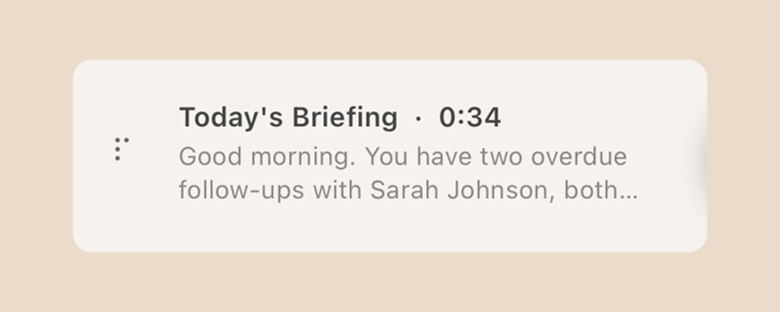
The morning briefing now reads deeper. It still leads with what changed and what's at risk, but it also surfaces the quieter signals a sharp coordinator would catch on a slow read of your CRM: listings without photos, properties sitting too long on market, and hot multi-buyer interest on the same address.

It's also longer where it earns the time. Instead of cutting after the top item, the briefing walks you through more of the day — the meeting that needs prep, the lead that's gone quiet, the showing where two parties are circling. Still paced for the car. Still under two minutes on most mornings.

It caught a listing of mine sitting on market with no photos. I'd been telling myself I'd fix it for a week.

Early tester · senior agent

Nothing to configure — if you already use Today's Briefing, the upgrade lands the next morning. If you haven't tried it yet, it's the card at the top of your Stack.
May 2026
v1.2.0
WHAT'S NEW

Today's Briefing

A 60-to-90-second audio briefing, ready before you are.

Open the Stack first thing in the morning and there's a new card at the top of your day. Tap it, and Stadora reads you the briefing — narrated, paced for the car, and timed to end before you pull into your first showing.

It used to take me forty minutes of scrolling to figure out what mattered today. Now I just press play.

Early tester · senior agent

It isn't a notification dump. The briefing pulls from everything Stadora already knows about your week: the deals advancing through pipeline, the leads that went cold, the showings on your calendar, the voice notes you left after yesterday's open house.

What changed. What's at risk. What you said you'd follow up on. In that order. Nothing else.

Under the hood, it runs a fresh summary every morning around your local 6 AM, so it's ready before you are. If you skip a day, the next briefing fills in the gap. And because it's audio-first, the whole thing works hands-free — start it from the lock screen, listen on AirPods, get to your day.

ALSO NEW

Smarter AI tasks

Tap the sparkle. Three high-priority tasks land on your Stack.

The AI Tasks button on the Stack has always been there — what's new is what happens behind it. Tap it, and Stadora reads your full pipeline state, then drops three actionable cards onto your stack: not generic reminders, but the specific calls, follow-ups, and showings most likely to move a deal forward today.

It found two follow-ups I'd completely lost track of in my first run. One of them closed that week.

Early tester · top producer

The model looks at the same things a sharp coordinator would notice if they read your CRM end to end: deals approaching their close date, clients who haven't heard from you in over a week, properties with showings on the calendar but no follow-up scheduled, leads sitting at the same stage too long.

Each task comes with a one-line rationale — why this client, why now — so you're never staring at a card wondering where it came from. Urgency is graded the way you'd grade it yourself: urgent if a deal is near close or a client has been quiet for seven days or more, important if three to seven, normal otherwise.

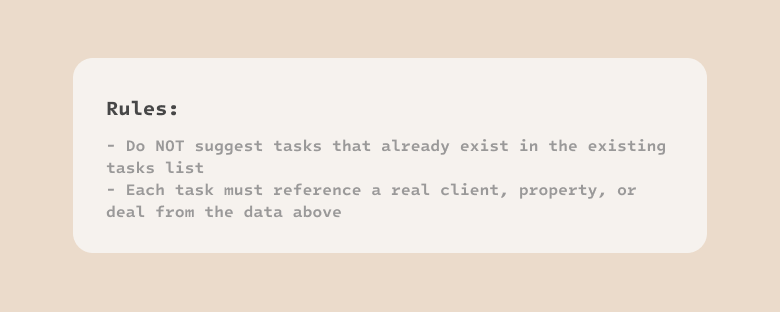
Tasks are deduped against what's already on your stack, anchored to real client and property records, and timed for today or tomorrow. Swipe through them like any other card. The ones you don't want disappear; the ones you start are yours.

ALSO NEW

Google Calendar sync

Your Stadora tasks and your Google Calendar, finally on the same page.

Connect once from Settings → Google Calendar. From that point on, every task you create in Stadora — showings, calls, follow-ups, deadlines — appears on your calendar within seconds, with the location, client, and reminders intact. Edit it in either place and the change syncs back the other way.

Events you create in Google show up on the Stadora calendar tab too, so the day you see in-app is the day you'd see if you opened Calendar.com. Synced events get a small G badge so you can tell at a glance which side they came from.

I stopped double-booking myself the same week I turned it on. That alone justified it.

Early tester · listing agent

Calendar invites are opt-in, per task. When you link a client with an email and toggle the invite switch, Stadora sends a real Google Calendar invite from your account — RSVP buttons, the works. Leave it off and the event stays on your calendar only; the client gets nothing. The default is silent on purpose: a CRM should never email your clients without you saying so.

Changes you make in Google show up in Stadora within seconds — and the other way around. No refresh button, no waiting, no wondering if it synced. It just stays current.